Using Panic Prompt with EC2
Update (May 1, 2012): According to commenter Ethan Cane, these steps are no longer necessary. You should be able to directly transfer your .pem file to Panic Prompt using iTunes File Sharing. The below info is for historical purposes only.
Yesterday, Panic introduced Prompt, an SSH client for iOS. It took a little trial and error to get it working with EC2 .pem files, but I eventually succeeded. Since a lot of the blog comments show other users struggling with the same thing, here’s what worked for me.
- Your .pem file is an RSA private key. You need to generate an RSA public key from it. On Mac OS X, I did this by typing “ssh-keygen -y > foo.pub” and entering foo.pem when prompted for the key file.
- Make a copy of your foo.pem file to get rid of the extension. Now you have “foo” as the private key and “foo.pub” as the public key.
- If Prompt is running on your iPhone, do a hard exit (show the iPhone app switcher UI, long-press the Prompt icon to show the delete adornment).
- Connect the iPhone to your computer
- In iTunes, use File Sharing to transfer first foo.pub, then foo.
Filed under: Uncategorized | 14 Comments
Introducing RStudio
It’s been an exciting week for me! On Monday, we finally took the wraps off the product that I’ve been working on since leaving Microsoft 18 months ago.
First, a little background: There’s a programming language called R that is taking the world of statistical computing and data analysis by storm. If you’ve never heard of R, you can read more about it in this New York Times article. But the gist of it is:
“R is really important to the point that it’s hard to overvalue it,” said Daryl Pregibon, a research scientist at Google, which uses the software widely. “It allows statisticians to do very intricate and complicated analyses without knowing the blood and guts of computing systems.”
We’re trying to make R a better language by giving it a better IDE. It’s called RStudio. It’s free as in beer, and free as in speech. You can download it today, or even peruse the source.
We designed RStudio from the ground up to make working with R easier and more productive. It brings your R console, source code, plots, help, history, and workspace browser into one cohesive package. We’ve added some neat productivity features like a searchable endless command history, function/symbol completion, data import dialog with preview, one-click Sweave compile, and more. Many experienced R users have told us that even at this early stage, RStudio is the R IDE that works best for them.
What’s really unique about RStudio, though, is that it can run equally well as a desktop program or as a web application.
What does it mean to run an IDE as a web application? Take a look: Here’s a screenshot of RStudio running in Google Chrome on Windows 7. As you can see, it’s a full IDE—it just happens to be in a browser.

The server I’m using is an 8-proc Ubuntu server with 68.4GB of RAM (it happens to be on EC2). When you run RStudio this way, it’s always the server’s computing resources—CPU, RAM, hard drive—that are being used by R.
Why is this interesting? It turns out that a lot of serious R users share a big, powerful Linux box or cluster with their colleagues. They write their R code on their own desktop or laptop, and execute it on the big server. There’s definitely a lot of friction in this workflow. With RStudio, a lot of the friction goes away because you can do your exploring and iterating directly on the big iron.
If you’re an R user, try it out and let us know what you think!
Filed under: Career, RStudio | 12 Comments
Elegant code splitting with GWT
Update February 17, 2010: I forgot to mention that if you need FIFO guarantees today and don’t mind losing some of the conciseness, Jarrod Carlson has a nice solution posted here. I plan on stealing his way of doing FIFO.
Since leaving Microsoft in September, I’ve been working almost exclusively with Google Web Toolkit (GWT). Now that I have spent some time with it, I think it’s one of the most exciting advances in web development in years.
I came up with a (possibly) novel way to abstract the code splitting facilities in GWT 2.0 and will try to share it as best I can in this post. (Thanks to my boss, JJ Allaire, for letting me share this code!)
Warning: This post assumes the reader is very familiar with GWT and code splitting, and the ideal reader will have already tried and failed to find a nice way to reuse code split logic. Seriously though, you’ve been warned!
The Problem: Reusing Code Splitting Logic
GWT 2.0 provides a mechanism for splitting your codebase so that some of your code and resources can be loaded on-demand rather than at page load.
The official GWT site recommends the Async Provider pattern as a way to split up your codebase. This is a great start, but you need an excessive amount of boilerplate for each module. Plus, callers now have to use a pretty tortured anonymous class based syntax to get at the API.
Because GWT effectively introduces one split point for each time GWT.runAsync appears in the program source, it’s not obvious how to get around cutting-and-pasting all of this boilerplate.
The Solution: Deferred Binding
Fortunately, GWT gives us the tools we need to get out of this mess. We’ll build on top of the same pattern, but use deferred binding (via my library) to generate the boilerplate at build time.
Filed under: GWT, Java, Programming | 14 Comments
Tags: AsyncShim, GWT, Java, Programming
Moving On

For the last three and a half years, it’s been my distinct pleasure to be part of the Windows Live Writer team. It’s been deeply satisfying to help ship this simple yet sophisticated program that has put a smile on so many bloggers’ faces. From our first public beta, we’ve had nothing but love from the blogging community, and I can’t tell you how awesome that feels.
So it’s with decidedly mixed emotions that I’m moving on from Microsoft and Windows Live Writer. My last day is this Friday, 9/11/2009.
Thank you to all the colleagues, partners, and especially users who have made the last few years so exciting and rewarding. It’s been an amazing experience for me, and I’ll always be proud of what we accomplished.
Next for me will be another stint working for JJ Allaire. I’ll be working from home, which will be something new for me. No details to share about the project for a while, except to say that it will be something totally different (nothing to do with blogging, sorry).
Filed under: Career | 16 Comments
Life as a Lead at Microsoft
Last September, our Development Lead and all-around great guy Charles left the Windows Live Writer team for the greener pastures of venture capitalism. (In Microsoft parlance, Development Leads manage developers, while Development Managers manage development leads.) With mixed feelings, I stepped into his role—my first time being a manager, not counting a few ill-fated months in 2001 that I’d rather forget.
I couldn’t have been happier as a developer on Writer. There’s something simple and pure about creating features, fixing bugs, and solving customer problems. A good day meant that when I went home, Writer did something cool that it didn’t do when I had arrived in the morning.
Being a lead, so far, has been anything but simple, even though I’m only managing two developers. I’m finding it much harder to measure my contribution or to even know what’s the most important thing to work on at any given moment. “Time management” for me used to mean making sure I don’t spend too much time on YouTube or TechMeme. Now it means having 12 hours a day worth of work each day I could be doing, and deciding what subset of it I’m actually going to spend time on. It means deciding which of the three meetings I have scheduled for 1PM I will actually go to. All the while knowing that things I’m leaving undone, and the meetings that I’m deciding are not as important, all have the potential to bite me in the back down the road.
And that work, and those meetings, are not always clear and simple like building a feature or fixing a bug. I spend a lot of time these days just “getting on the same page” as people. Having arguments without reaching clear resolution. Planning to plan. How do you measure whether you’ve been successful at these kind of things? How do you determine the impact on the product, on your users?
Messy.
That all being said, I’m glad to have this opportunity. Going up the steep part of any learning curve is by definition both challenging and rewarding. To be honest, it’s been a while since I’ve hit any really steep learning curves as a developer. And even after this short time, I’m starting to get comfortable in the role and learn how to find real satisfaction in what I’m doing.
Over the past few months I’ve gotten some great management advice from some great managers. I’ve also had some thoughts percolating for some time, that being a lead has helped crystallize. I hope to blog as I learn, partly to give some food for thought for other new managers out there, but mostly as a journal I can look back on after a few years, and wonder at how naïve I was.
Filed under: Management | 15 Comments
Update Feb 13 2009: The updated version of Writer that fixes this problem is now available. You can upgrade to version 14.0.8064.206 from our usual download page.
Ack. We’ve had a few users report that they’re getting into a state where Windows Live Writer 2009 can no longer start. They see the splash screen, then an error, then nothing.
We’re getting ready to ship an update that fixes the problem, but in the meantime, there is a straightforward workaround to get Writer running again:
- Start | Run
- On Vista, enter this command:
%AppData%\Windows Live Writer\Keywords
On XP, enter this command:
%UserProfile%\Application Data\Windows Live Writer\Keywords - You should see a bunch of files whose names begin with “keyword” and end with lots of letters and numbers. Delete all of these files.
That should fix it.
The problem, as you may have guessed, is that one of these files is getting corrupted. This is due to a race condition in our code where the settings file can be closed while it’s still in the middle of being written. Our update will both fix the race condition, and also deal more gracefully with corrupted settings files (by ignoring them).
Fortunately, these files merely contain a copy of tags that are also stored on your server. After you delete these files, you may find that our server-side tagging feature no longer suggests tags to you. You can get your tags back by hitting the little refresh button (two arrows chasing each other) right inside the “Set tags” textbox.
Filed under: Windows Live Writer | 33 Comments
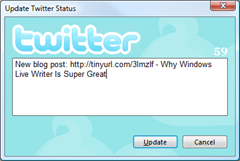 Hopefully, folks who use both Windows Live Writer and Twitter know about the Twitter Notify plugin we released in December. Out of the box, it uses the venerable (but still awesome) TinyURL service to shorten the URL to your blog post.
However, if you prefer a different URL shortening service, like is.gd or snipr, you might be able to get the plugin to use that instead, with a simple registry tweak.
Continue reading ‘Using alternative URL shorteners with Twitter Notify plugin’
Filed under: Plugins, Windows Live Writer | 18 Comments
Tags: Twitter, Twitter Notify, Windows Live Writer
Windows Live Writer 2009 went final last week during CES. (It’s actually the same bits as the RC [14.0.8050.1202] since no show stopping bugs were found since then.)
If you’re still on an older build of Writer, go download it now!
Filed under: Windows Live Writer | 13 Comments
Tags, Writer, and WordPress
Ever since WordPress 2.3 hit the scene, adding native tagging support, there’s been some (understandable) confusion as to whether Windows Live Writer supports tags, and how it relates to WP native tags. Hopefully this post will clear things up.
If you’re using WordPress 2.3.1 or later, look for either Keywords or Tags near the bottom of the screen. You may first have to press F2 (or click the little up-arrow) to expand the property panel.

Better yet, if you’re using WordPress 2.7 (or WordPress.com) and Windows Live Writer 2009 RC or later, you’ll get tag autocompletion! The tags field also moves upwards, adjacent to the categories field.

The same instructions apply for BlogEngine.NET, though I don’t think a build has been formally released yet that supports tag autocompletion.
Filed under: Windows Live Writer, WordPress | 16 Comments
“Instant photo” border treatment
In case you’re wondering what the “instant photo” border treatment feature is, here’s an example.

It plays nice with the Crop and Tilt features.
No, you cannot currently provide a caption to be written on the border. If that’s important to you, you might consider the “Polaroid Picture” plug-in.
Filed under: Windows Live Writer | 3 Comments
 whateverblog.